Flutter Game Development: Getting Started in 2026
Flutter game development in 2026: Flame vs plain widgets, the game loop and dt, touch input, publishing to iOS and Android, and where Flutter falls short.

Published on 16 min
On this page
A few years ago, asking about flutter game development on any game programming forum usually ended with a quick suggestion to just use Unity instead. In 2026, the trade-offs look very different. If you are building a 2D title with plenty of UI screens and targeting mobile devices, Flutter is a thoroughly practical choice. For solo developers and small indie teams, it is frequently the fastest route from an initial prototype to publishing on both Google Play and the Apple App Store.
This guide walks through the architectural choices that determine whether your game succeeds in production. We will cover when standard widgets are enough and when you need the Flame engine, how the game loop and delta time behave in real code, how to organize your files so the project remains maintainable, and what to watch out for during store release. As a concrete example, we will look at a classic puzzle that almost every studio builds at some point: sudoku. All the board logic is written in pure Dart, so you can test it directly in DartPad without installing any third-party dependencies.
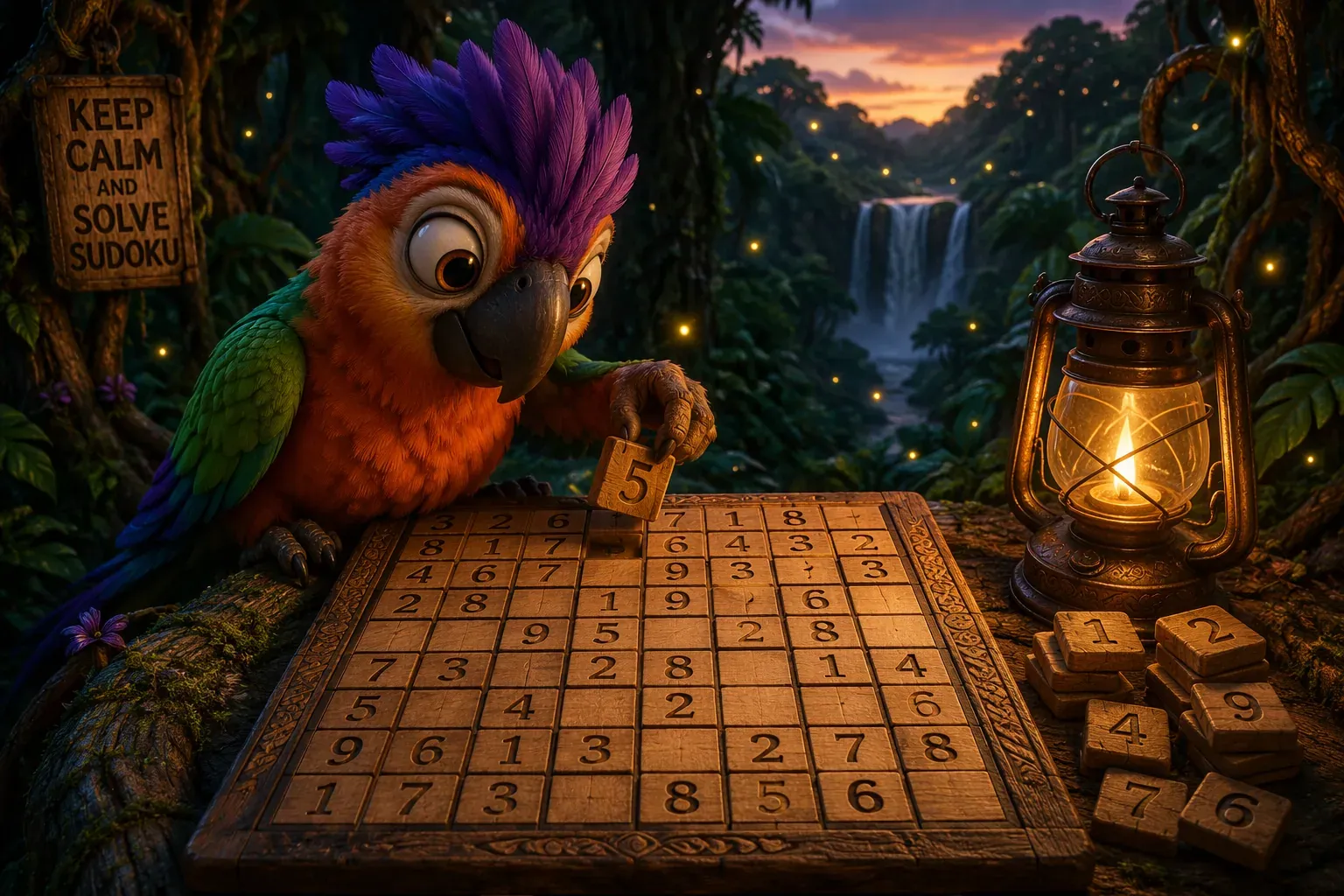
A brief disclosure before we begin: we build mobile puzzle games for a living, and our current project is Polydocu, a jungle adventure built around sudoku puzzles. We know Flutter’s strengths well, but we are just as familiar with its limits. Later in this guide, you will find an unvarnished review of the things Flutter simply does not do well.
Why Flutter works so well for 2D games
The growing appeal of flutter game development is not just about cross-platform compiling; almost every modern engine promises that. In day-to-day 2D development, three concrete benefits make a real difference.
One codebase with a complete UI system. A mobile game is rarely just gameplay. In practice, a huge portion of the product consists of user interface: main menus, shop screens, dialogs, audio settings, account login, and onboarding tutorials. Flutter’s widget system handles this effortlessly. While Unity developers frequently purchase third-party UI packs and spend days adapting them to various screen ratios, Flutter gives you a responsive, battle-tested UI layer right out of the box.
Fast iteration loops with Hot Reload. Dialing in game feel requires constant experimentation with speed values, color timings, and animation delays. With Hot Reload, you can adjust constants directly in your code and see the updated behavior on a running device immediately, without losing your current game state. As the Flame engine documentation points out, this rapid feedback loop turns hours of waiting for incremental builds into seconds of real progress.
A mature rendering pipeline in Impeller. Early attempts at games in Flutter occasionally suffered from animation stutters whenever new graphics appeared on screen. The Impeller rendering engine eliminates that shader compilation jank by precompiling shaders ahead of time when the engine is built. Community benchmarks published by Dmitry Petrov (posxposy) pushed thousands of moving sprites across the screen and confirmed that both Impeller and Skia handle 2D workloads comfortably at high refresh rates.
The surrounding ecosystem has matured alongside the renderer: Flame provides a clean game loop and component model, Forge2D handles 2D physics, flame_tiled imports maps from the Tiled editor, and Google’s official Casual Games Toolkit includes templates prewired for ads, in-app purchases, Google Play Games, Apple Game Center, and Firebase Crashlytics. Complete games like Google’s I/O Pinball demo and the Super Dash platformer demonstrate that this stack delivers finished consumer products, not just tech demos.
Flame or plain widgets: choosing your architecture
Picking your rendering strategy is the first major decision in any flutter game development project. You have three realistic options, and each fits a different style of game:
Option 1: Pure widgets. You construct the game using standard framework widgets like Stack, Positioned, Container, and AnimatedContainer. This approach works nicely for turn-based board games, card games, and visual novels. It falls apart as soon as you need continuous motion, because moving dozens of elements triggers layout recalculations across the widget tree, which was never designed for sixty updates per second.
Option 2: CustomPainter. You place a single widget on screen with a Canvas where you draw lines, shapes, and sprites directly in code. This is the sweet spot for grid-based and puzzle games: sudoku, chess, nonograms, and match-three boards. In Filip Hráček’s engine benchmark, the Flutter engineering team explicitly recommended drawing multiple sprites on a single canvas using drawAtlas, rather than instantiating individual Image widgets. The major benefit is that your surrounding menus, HUDs, and dialogs remain ordinary Flutter widgets.
Option 3: The Flame engine. If your game requires continuous physics simulations, scrolling worlds, collision detection between hundreds of moving entities, or complex sprite sheet animations, you need a dedicated engine. Flame fits cleanly into Flutter: it provides a GameWidget that embeds anywhere in your application tree, and you can layer regular Flutter widgets right on top as overlays.
As a general rule: if nothing moves on screen unless the player taps or swipes, start with CustomPainter. If objects move, fall, or animate continuously every frame, pick Flame from day one.
The game loop and delta time: keeping motion smooth
Every game engine revolves around two fundamental steps. As explained in the Flame documentation, the update callback calculates the new state of the world, and the render callback draws that state on the screen. The critical parameter tying them together is dt (delta time), which represents the fractional seconds elapsed since the previous frame.
Here is a minimal Flame example showing a token moving across the screen:
import 'package:flame/components.dart';
import 'package:flame/game.dart';
import 'package:flutter/material.dart';

void main() => runApp(GameWidget(game: LoopDemo()));

class LoopDemo extends FlameGame {
  late final Token token;

  @override
  Future<void> onLoad() async {
    token = Token();
    add(token);
  }
}

class Token extends PositionComponent {
  final Vector2 velocity = Vector2(120, 80); // pixels per second

  @override
  void update(double dt) {
    position += velocity * dt; // dt keeps movement independent of frame rate
    if (position.x > 400) position.x = 0;
    if (position.y > 800) position.y = 0;
  }
}
Multiplying velocity by dt is essential. On a modern 120 Hz display, dt will hover around 0.008 seconds, while on an older phone running at 30 fps, it will be around 0.033 seconds. When you multiply by dt, the token travels the exact same physical distance per second on both devices. Without that multiplication, players on high-refresh screens would see the game run twice as fast.
Working with delta time involves two essential rules:
First, always clamp dt after hitches. If a player backgrounds the app for five seconds, the next frame could receive a raw dt of 5.0. Without a limit, that single massive step would teleport objects right through collision boundaries. Capping dt at a safe threshold (such as 0.05 seconds) keeps physics stable.
Second, keep your update method lightweight. It executes up to 120 times every second, so expensive operations will immediately cause frame drops. Course materials from Aalto University’s Flame course highlight a common rookie mistake: triggering a navigation event to the victory screen inside update without checking if the game has already finished. Left unchecked, the engine will attempt to push dozens of route transitions in a fraction of a second.
If your game requires strict determinism (for instance, to support replays or lockstep multiplayer), use a fixed timestep with an accumulator. For typical casual games, variable dt with clamping is simpler and works reliably.
A project structure that stays maintainable
A game project benefits from a different directory layout than a typical corporate app. Resisting the temptation to copy standard enterprise folder patterns pays dividends down the road. Here is an architecture that has served our production releases well:
lib/
  main.dart              # Platform initialization and GameWidget entry point
  game/
    my_game.dart         # Main FlameGame subclass or CustomPainter host
    components/          # Game entities in separate files: player.dart, token.dart
    input/               # Touch gesture adapters and controller mappings
  logic/                 # Pure Dart code with zero Flutter imports
    board.dart           # Game rules and win condition evaluations
    generator.dart       # Level generation algorithms
    solver.dart          # Backtracking solvers and difficulty analysis
  ui/                    # Menus, settings dialogs, HUD overlays
  audio/
assets/
  images/  audio/  fonts/
test/
  logic/                 # Fast unit tests for pure logic
The most valuable piece here is the logic/ directory. By keeping this folder free of any imports from flutter/material.dart or widget code, your core game rules operate on plain Dart data structures. This means you can run property tests against your sudoku generator overnight on your CI server in seconds using dart test, without spinning up a headless graphics runner. You can even paste that logic directly into DartPad for quick sharing.
Case study: building a sudoku generator in pure Dart
Sudoku is an exceptional project for mastering flutter game development fundamentals. The rules fit on an index card, rendering the 9x9 board is straightforward with CustomPainter, and the core challenge lives squarely in the algorithmic logic. Generating a fair board that is guaranteed to have exactly one valid solution is something many tutorials gloss over.
A reliable generator operates in three distinct phases:
- Fill an empty 9x9 grid with valid numbers using a randomized backtracking solver.
- Remove numbers one by one from random cells.
- After every removal, run a solver to verify that the board still has exactly one unique solution. A board with two valid solutions is broken: the player has no logical deduction path to know which number was intended.
The backtracking algorithm is a well-established technique, and the step-by-step process of digging cells while verifying uniqueness is explained clearly in Daniel Sasse’s solver walkthrough.
Here is a complete, working implementation that you can paste into DartPad to see in action:
import 'dart:math';

typedef Board = List<List<int>>;

bool isValid(Board b, int r, int c, int v) {
  for (var i = 0; i < 9; i++) {
    if (b[r][i] == v || b[i][c] == v) return false;
  }
  final br = r - r % 3, bc = c - c % 3;
  for (var i = 0; i < 3; i++) {
    for (var j = 0; j < 3; j++) {
      if (b[br + i][bc + j] == v) return false;
    }
  }
  return true;
}

bool fill(Board b, Random rnd) {
  for (var r = 0; r < 9; r++) {
    for (var c = 0; c < 9; c++) {
      if (b[r][c] != 0) continue;
      final digits = List.generate(9, (i) => i + 1)..shuffle(rnd);
      for (final v in digits) {
        if (isValid(b, r, c, v)) {
          b[r][c] = v;
          if (fill(b, rnd)) return true;
          b[r][c] = 0;
        }
      }
      return false; // dead end, backtrack
    }
  }
  return true;
}

/// Counts solutions up to [limit]. The single most effective speedup is
/// choosing the empty cell with the fewest candidates (MRV heuristic)
/// instead of scanning left to right.
int countSolutions(Board b, [int limit = 2]) {
  var bestR = -1, bestC = -1;
  var bestCandidates = 10;
  for (var r = 0; r < 9; r++) {
    for (var c = 0; c < 9; c++) {
      if (b[r][c] != 0) continue;
      final candidates = [for (var v = 1; v <= 9; v++) if (isValid(b, r, c, v)) v];
      if (candidates.isEmpty) return 0;
      if (candidates.length < bestCandidates) {
        bestCandidates = candidates.length;
        bestR = r;
        bestC = c;
      }
    }
  }
  if (bestR == -1) return 1;
  var total = 0;
  for (final v in [for (var v = 1; v <= 9; v++) if (isValid(b, bestR, bestC, v)) v]) {
    b[bestR][bestC] = v;
    total += countSolutions(b, limit - total);
    if (total >= limit) break;
    b[bestR][bestC] = 0;
  }
  b[bestR][bestC] = 0;
  return total;
}

Board generatePuzzle(int clues, Random rnd) {
  final solved = List.generate(9, (_) => List.filled(9, 0));
  fill(solved, rnd);
  final puzzle = solved.map((row) => row.toList()).toList();
  final cells = [for (var r = 0; r < 9; r++) for (var c = 0; c < 9; c++) [r, c]]
    ..shuffle(rnd);
  var removed = 0;
  for (final cell in cells) {
    if (removed >= 81 - clues) break;
    final backup = puzzle[cell[0]][cell[1]];
    puzzle[cell[0]][cell[1]] = 0;
    final probe = puzzle.map((row) => row.toList()).toList();
    if (countSolutions(probe) != 1) {
      puzzle[cell[0]][cell[1]] = backup; // removal broke uniqueness, revert
    } else {
      removed++;
    }
  }
  return puzzle;
}

void main() {
  final puzzle = generatePuzzle(32, Random());
  for (final row in puzzle) {
    print(row.map((v) => v == 0 ? '.' : '$v').join(' '));
  }
}
Running this code produces a single-solution board in well under a second on a laptop.
However, keep in mind that generation time is not constant. Generating boards with thirty or fewer starting clues requires running the uniqueness solver after every single removed number, which pushes the backtracking tree toward worst-case paths. The developers behind Sudoku of the Day famously tackled this problem on 16 MHz Palm devices. Their solution was simple: keep a queue. The game generates upcoming puzzles in the background while the player is busy solving the current one, so nobody ever waits on a loading screen between levels.
Rendering the board and handling touch input
For drawing a sudoku board, CustomPainter is an outstanding choice. It paints the grid lines and digits onto the canvas, while a GestureDetector translates raw screen coordinates into cell row and column indices:
class SudokuPainter extends CustomPainter {
  SudokuPainter(this.board, this.selected);

  final List<List<int>> board;
  final (int, int)? selected;

  @override
  void paint(Canvas canvas, Size size) {
    final cell = size.width / 9;
    final line = Paint()..color = Colors.brown..strokeWidth = 1;
    final bold = Paint()..color = Colors.brown..strokeWidth = 3;
    for (var i = 0; i <= 9; i++) {
      final isBox = i % 3 == 0;
      final paint = isBox ? bold : line;
      final p = i * cell;
      canvas.drawLine(Offset(p, 0), Offset(p, size.height), paint);
      canvas.drawLine(Offset(0, p), Offset(size.width, p), paint);
    }
    // Digits are drawn using pre-cached TextPainter objects
  }

  @override
  bool shouldRepaint(SudokuPainter old) => old.board != board;
}
Capturing taps is as simple as dividing the local touch coordinates by the cell size:
GestureDetector(
  onTapUp: (d) {
    final cell = (d.localPosition.dx / cellSize).floor();
    final row = (d.localPosition.dy / cellSize).floor();
    if (cell >= 0 && cell < 9 && row >= 0 && row < 9) onCellTapped(row, cell);
  },
  child: CustomPaint(painter: SudokuPainter(board, selected), size: Size.square(boardSize)),
)
In the Flame engine, you achieve the same result with the TapCallbacks mixin on your tile component:
class Tile extends PositionComponent with TapCallbacks {
  @override
  void onTapDown(TapDownEvent event) {
    event.handled = true;
    game.selectCell(gridX, gridY);
  }
}
Three touch design principles make an enormous difference in player experience:
- Generous touch targets. Interactive elements should never be smaller than 44 by 44 logical pixels. That is why mobile sudoku games place a dedicated numeric keypad below the board, rather than asking players to tap tiny cells repeatedly.
- Isolating gesture recognizers. When a game board sits inside a scrollable screen, Flutter’s gesture arena may pause touch events for a fraction of a second to check whether the user is starting a scroll. Keep the active play area isolated from scrolling containers and use explicit
onTapUpcallbacks. - Haptic feedback. Firing a subtle vibration when selecting a tile gives the puzzle a tangible, physical sensation. A single call to
HapticFeedback.selectionClick()elevates the perceived quality of your game immediately.
Publishing on iOS and Android without surprises
This is where Flutter truly shines: your build and release pipeline is virtually identical to any standard Flutter mobile app.
On Android, build an App Bundle with flutter build appbundle --release. On iOS, you will need a Mac with Xcode configured for code signing and App Store Connect uploading. During release builds, enable Dart obfuscation with --obfuscate --split-debug-info to make reverse engineering game constants significantly harder.
For platform services, the games_services plugin provides a unified API for Google Play Games Services and Apple Game Center, allowing you to manage leaderboards and achievements with a single codebase. If you prefer starting with a pre-configured architecture, Google’s Casual Games Toolkit includes ready-made starter templates where monetization, sound management, and platform analytics are already wired together.
Keep standard app store requirements in mind: keep your initial Android download size under 200 MB, ensure iOS screenshots depict genuine gameplay, and complete privacy declarations for any ad or analytics SDKs bundled into your game.
Where Flutter falls short: an honest evaluation
A guide that only praises its subject is an advertisement. The flutter game development ecosystem has clear boundaries, and attempting to force it outside those bounds will only lead to frustration:
Real 3D is not there. While experimental projects like Fluorite exist and 3D views can be embedded via platform views, Flutter comes nowhere near the capabilities of Unity, Unreal Engine, or Godot for full 3D games. If your vision demands a 3D world, your engine choice is already made.
Heavy particle systems and custom shaders. Rendering thousands of active particles, dynamic lighting, or complex screen post-processing can quickly overwhelm Flutter’s 2D canvas. Flame’s built-in particle tools work well for casual polish, but they cannot power a bullet-hell shooter with tens of thousands of projectiles. Authors of dev.to engine comparisons arrive at the exact same conclusion.
Garbage collection pauses. Dart’s memory model allocates and discards objects freely. In a game loop, this can cause micro-stutters when the garbage collector runs. Keeping your game running smoothly requires strict object pooling for bullets and particles, caching TextPainter and Paint instances, and avoiding any allocations inside update and render.
Text rendering overhead. Laying out text components on the fly is computationally expensive on the UI thread. Static text labels are much better pre-rendered into sprite textures or drawn with cached painters.
In short: Flutter excels at 2D, puzzle, card, board, and interface-heavy casual games where rapid development and polished UI are the top priorities. It is not the right tool for AAA spectacle or shader-driven 3D action.
Core performance habits for smooth frame rates
These essential habits cost nothing to adopt early on:
- Batch sprite draws with
canvas.drawAtlasinstead of creating separate widgets for every moving item. Flame handles this internally. - Preload all images and sounds during
onLoadand pull them from memory cache, never from disk during active gameplay. - Treat your
updateandpaintmethods as allocation-free zones: avoidList.generate, string concatenation, and object instantiation in every frame. - Monitor your frames with the Performance Overlay and DevTools timeline to distinguish UI thread bottlenecks from GPU raster delays.
- Always test on an entry-level Android phone. If your game maintains sixty frames per second on a budget device, it will run effortlessly on flagship hardware.

The loop diagram above captures the entire model: delta time moves the world forward, the renderer draws the new frame, and player input modifies the state. Keeping that loop clean and allocation-free is the whole secret to performance.
FAQ
Is Flutter a good choice for game development in 2026?
Yes, provided you are building 2D casual, puzzle, card, or UI-centric mobile games. Combined with Flame and the Casual Games Toolkit, Flutter offers a reliable, productive stack that has proven itself in production. For 3D titles or heavy action spectacle, Unity or Godot remains the better choice.
Flame or CustomPainter: which one should I start with?
If your game takes place on a static board and only updates when the player makes a move, CustomPainter combined with standard widgets is simpler and completely adequate. If your gameplay features continuous motion, physics, or multiple moving entities, start with Flame.
Can Flutter games maintain 60 frames per second?
Yes, and 120 fps on supported high-refresh screens, provided you avoid per-frame allocations, batch your sprite drawing, and cache text layouts. Published benchmarks confirm that both Impeller and Skia handle thousands of 2D sprites smoothly.
Do I need to know native Swift or Kotlin to publish?
No. Your gameplay, UI, and platform service integrations are all written in Dart. Native tools like Xcode on macOS are only needed for signing certificates and uploading the final build to store consoles.
Is sudoku a good project for learning game development?
It is one of the best starter projects available. The rules are clear, the board logic is ideal for automated unit testing, and rendering the 9x9 grid with CustomPainter can be built in an afternoon. It teaches solid architecture without getting bogged down in complex visual assets.
Recommended reading: where game ideas come from, games made by one person, mobile games nostalgia, memory techniques behind puzzle games, and accessibility in mobile game design.
Written by Maksymilian Jackowski at Psittacus Studio, the creators of Polydocu, a sudoku adventure through the jungle. If you want to see how far you can take a puzzle game with Flutter, join the Polydocu waitlist.
Polydocu - a sudoku adventure
Nine digits, an expedition through the jungle, Poly the parrot, and no artificial roadblocks. Join the waitlist and we will notify you when the game launches.
One email at launch, no spam.